 Always-on-top desktop companion
VibeLayer
An open-source Electron desktop companion that lets people place transparent stickers and GIFs over any workspace, then resize, position, and persist them across screens.
- 3
- desktop platforms
- 4
- sticker import paths
- Local
- privacy-first storage
- Electron and React
- Transparent overlays
- Giphy and Unsplash
- On-device background removal
Making a desktop feel personal without getting in the way of the work.
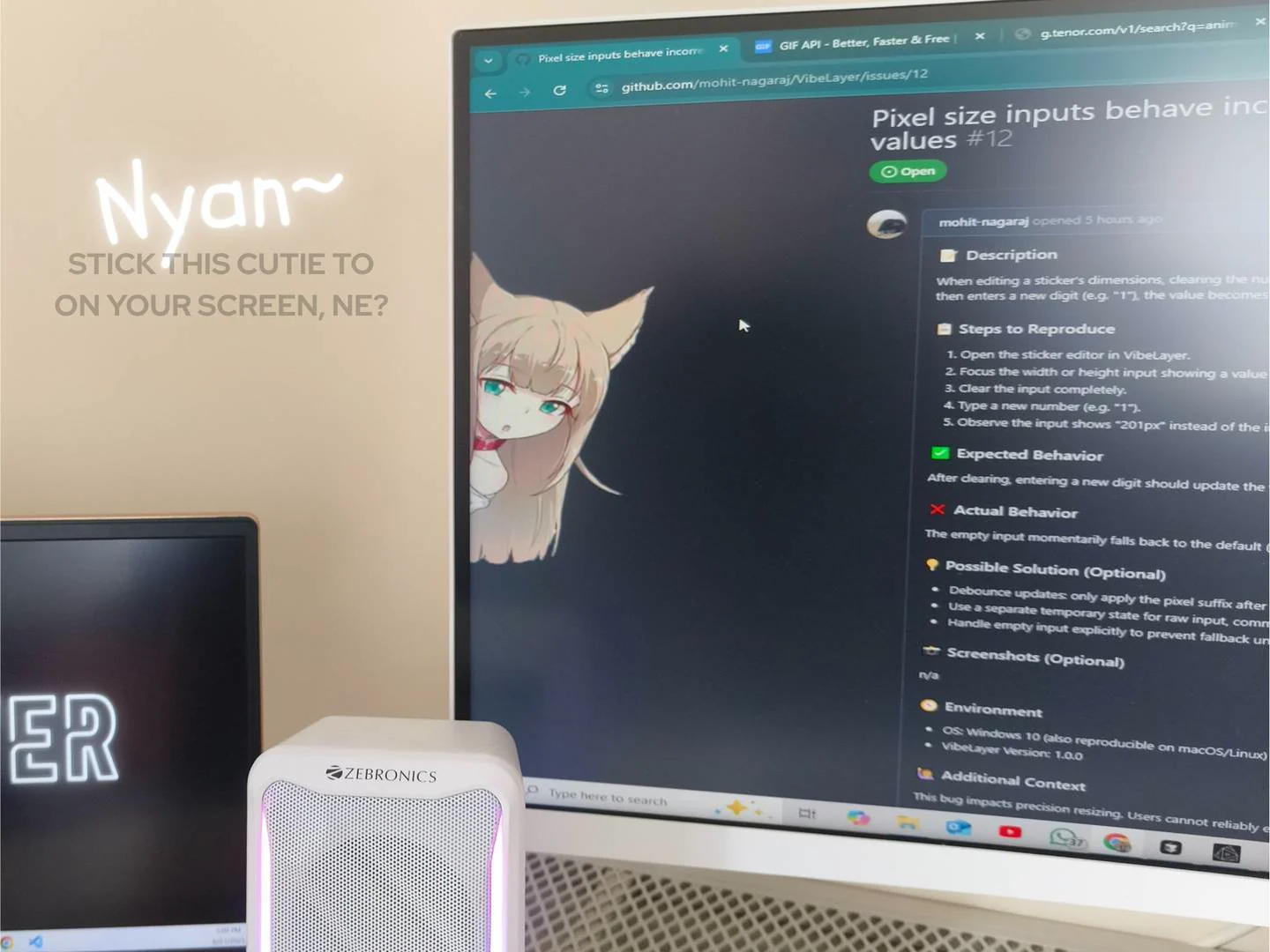
Desktop software is usually designed to disappear into productivity. VibeLayer explores the opposite idea: a small companion can make the workspace more expressive without becoming another window that demands attention.
I built VibeLayer as an always-on-top transparent sticker system. People can import a local image, paste a direct URL, search Giphy or Unsplash, remove a background, and place the result anywhere across their screens.
The product keeps layouts and settings on the device, restores them between sessions, and packages the same experience for Windows, macOS, and Linux while preserving platform-specific window behavior.
From any image to a persistent desktop companion.
VibeLayer combines a friendly collection manager with the lower-level desktop window controls needed to make transparent media feel native, lightweight, and reliably present.
- 01
Transparent Desktop Overlays
Render images and animated GIFs in frameless always-on-top windows that can sit naturally over another application.
- 02
Import from Anywhere
Add stickers from local files, direct image URLs, Giphy search, or Unsplash without leaving the desktop app.
- 03
One-Click Background Removal
Run IMG.LY background removal locally so ordinary source images can become clean transparent overlays.
- 04
Freeform Multi-Screen Layouts
Drag, resize, and position companions against detected displays, then restore the arrangement on the next launch.
- 05
Local-First Settings
Keep stickers, layout state, themes, capture preferences, and startup behavior on the user's own machine.
- 06
Cross-Platform Distribution
Build signed desktop packages and update flows for Windows, macOS, and Linux from one Electron codebase.
A React interface coordinated with native desktop window behavior.
The Electron main process manages the application lifecycle and transparent sticker windows, while the preload layer exposes a narrow bridge to the React renderer. Separate renderer entry points keep the collection manager and the lightweight overlay surface focused on different responsibilities.
React components and custom hooks separate sticker management, screen detection, layout persistence, and settings. React RND handles direct positioning, Electron Store keeps state local, API clients provide Giphy and Unsplash search, and electron-builder plus GitHub workflows produce platform-specific releases.
Product designer and desktop engineer from playful idea to cross-platform release.
I designed the product interaction, built the Electron and React application, implemented transparent overlay behavior, integrated media search and background removal, and configured installers for all three desktop platforms.
The difficult part was balancing delight with restraint. A companion should stay visible and preserve its position, but it also needs to avoid blocking clicks, leaking into captures, consuming unnecessary resources, or making normal desktop work feel fragile.
The best desktop companion adds personality to the workspace without asking the workspace to make room for it.